

Network Closet Buildout in Portsmouth, VA: Server Room Planning, Rack Management, and Cooling
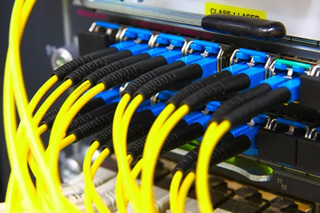 If you are planning a new network closet buildout in Portsmouth, VA, a clear plan will protect uptime, make growth easier, and keep your team productive. This guide walks through practical decisions around space, racks, power, cooling, and security so you can collaborate confidently with a professional. To see how these pieces come together in real projects, explore our networking services and use them as a reference while you read.
Whether your office is near Olde Towne, Churchland, Port Norfolk, or Cradock, buildings in our area range from historic brick structures to newer steel-framed suites. That mix creates unique challenges for cable pathways, Wi‑Fi coverage, and temperature control. With the right planning and a skilled partner like Baron Communications Inc, your IT closet becomes a reliable backbone that keeps data moving every hour of the day.
If you need quick assistance or want to talk through options, call 757-392-2226 and our team will help you scope the right next step.
What a Right-Sized Network Closet Looks Like
Right-sizing starts with the equipment you have today and what you expect to add over the next three to five years. Sizing only for day one might save a little space, but it usually raises future costs and downtime. Think of the closet as a miniature data center. It needs breathing room, clean power, and a tidy layout that prevents tangled cables and hot spots.
Key inputs to consider when estimating space and power needs:
- Core network gear such as firewall, switches, wireless controllers, and patch panels
- Servers, NAS or backup appliances, and any security camera recorders
- Internet equipment, demarcation points, and service provider handoffs
- Power protection like UPS units and room for maintenance access
- Cooling method, airflow path, and return air space above or around racks
As you plan, leave rack units and shelf space available for growth. Plan 30 to 40 percent headroom in rack units and power. That cushion makes adds and changes less disruptive and helps keep thermals under control when you scale.
Server Room Planning for Portsmouth Workplaces
Server room planning is part technical, part practical. In Portsmouth’s humid summers and storm season, you want a secure interior location with limited foot traffic, minimal dust, and dependable cooling. Avoid rooms sharing walls with kitchens or restrooms. Water lines and steam can introduce moisture and heat that shorten equipment life.
When selecting a location in buildings along High Street or in office parks off Victory Boulevard, think about cable routes. Shorter backbone runs reduce signal loss and help keep installation tidy. If your office spans multiple floors, plan for vertical pathways that do not interfere with elevators or life-safety systems, and use proper firestopping where any penetrations occur.
Access control matters too. Badged entry or a keypad lock limits who can enter and helps protect sensitive equipment. A simple door contact tied into your security system logs openings and alerts you if someone accesses the closet after hours.
Rack and Cable Management That Stays Neat
Racks are the framework for everything else. Start with a 4-post rack or enclosed cabinet that supports your equipment depth and weight. Place patch panels high, switches below them, and use horizontal and vertical managers to guide cables cleanly. Keep power cords and data paths separate so you do not create signal interference or airflow blockages.
- Use color-coded patch cords to distinguish voice, data, cameras, and uplinks
- Bundle by destination rather than length to keep moves, adds, and changes simple
- Maintain service loops only where needed, never stuffed behind equipment
- Document port maps and keep laminated diagrams inside the cabinet
Label every cable at both ends to cut future troubleshooting time. Clear labeling and a current rack elevation diagram save hours when you need to isolate a problem or add a new device. For small offices near the Norfolk Naval Shipyard or retail spaces by Midtown, that time savings often means the difference between a short interruption and a frustrating outage.
Network Cooling and Power Resilience in Coastal Virginia
Heat and humidity are the enemies of uptime. Switches, firewalls, and servers run best in a narrow temperature range, so plan intentional airflow and a consistent cooling method. For closets without dedicated HVAC, in-rack fans or ducted returns can help move warm air away from gear. Watch for hot spots around the top of racks and areas with dense PoE switching, which can run warmer when powering phones and access points.
Uninterruptible power supplies give your network time to ride through brief blips and shut down gracefully during longer outages. In neighborhoods closer to the water or during nor’easter season, that protection is especially valuable. A UPS with network monitoring provides early alerts if batteries need attention, reducing surprise failures.
Portsmouth’s summers are humid and hot, which can trap heat in tight closets. A small dehumidifier and sealed door gaskets help your cooling do its job and protect metal hardware from corrosion.
Power distribution should be simple and safe. Use rack PDUs for clean cable drops, and avoid daisy-chaining power strips. If you plan to add cameras, additional access points, or high-power PoE devices in the next year, include that draw in your load planning so the UPS and cooling are sized appropriately.
Wi‑Fi Coverage and Cabling Strategy in Older Buildings
Many Portsmouth offices occupy older structures with thick masonry that blocks wireless signals. You can still get great coverage, but it requires thoughtful placement and structured cabling. Run dedicated data lines to access point locations in corridors or open areas, and keep them away from heavy electrical equipment that can cause interference.
If your team works in split suites or multi-tenant spaces, ask the building manager about shared plenum spaces and approved pathways. This helps prevent last-minute surprises when pulling cable and keeps your project aligned with building rules.
Security, Monitoring, and Environmental Alerts
Beyond physical locks, consider a small network probe or sensor to watch temperature, humidity, and door status. Alerts to email or your ticketing tool allow you to address problems before users feel them. Camera coverage pointed at the rack, even a compact unit, adds accountability. It also helps your provider verify lights, cabling, and status LEDs when you call for support.
Permits and Code Considerations
Low-voltage and cabling work may be subject to local rules based on the scope of your project and the type of building. Requirements can vary by occupancy type, fire rating, pathway use, and whether walls or ceilings are opened. The safest approach is to coordinate with your building management team and verify any permits with the local authority having jurisdiction before work begins. Your chosen provider will handle the details, but clear communication early in the process keeps the timeline smooth.
Disaster Readiness and Recovery Planning
Storms in Hampton Roads sometimes knock out power or flood lower levels. Place the network closet on a higher floor or on a plinth that keeps gear off the floor. Document a simple recovery checklist that covers internet handoffs, firewall configuration backups, switch configs, and patch panel maps. Store a printed copy in the room in case you cannot access digital files during an event.
Avoid placing the network closet on an exterior wall that bakes in summer sun. Interior rooms hold steadier temperatures and often provide better cable routes to the rest of the office. If you must use a space with windows, use film or shades and seal the room to reduce dust and heat.
How Professional Design Saves Time and Risk
A well-designed IT closet reduces the number of hands needed to solve problems. Technicians can see port labels, follow cable managers, and check power status at a glance. Moves and changes fit into the remaining rack units without pushing equipment too close together. That means shorter maintenance windows and less risk of accidental disconnects during busy hours.
Professional documentation is part of the value. Your diagrams, IP address plans, port maps, and photos make remote support faster. When something changes, the drawings get updated. Over time, that single source of truth saves countless hours and helps new staff understand your network quickly.
Why Choose Baron Communications Inc for Your IT Closet Design
Baron Communications Inc focuses on practical design that fits real-world budgets and timelines. Our team recommends proven layouts and components that are easy to service and expand. We coordinate with your landlord or property manager, help verify any required approvals, and stage equipment so installation causes as little disruption as possible. If you want to see example layouts and options, review our networking services for more detail on planning, racks, and cabling.
We are local, which matters when lead times shift or a sudden weather event threatens uptime. From small offices near Maryview to larger facilities by the Midtown Tunnel, we build closets that handle heat, humidity, and growth without drama.
Get Started in Portsmouth, VA
Before any work begins, gather an equipment list, note where your internet service enters, and decide which teams need after-hours access. Then schedule a site walk so a designer can confirm measurements, power, and airflow. That walkthrough helps turn your wish list into a clear rack layout, cable schedule, and timeline that fits your operations.
Ready to schedule your network closet buildout in Portsmouth, VA? Talk with Baron Communications Inc today. For questions or to book a planning session, call 757-392-2226. You can also learn more about our team and values by visiting our home page. When you are ready to move forward, compare options, features, and scope in our detailed networking services overview.
With a smart plan, clean racks, and consistent cooling, your network closet will support growth without constant attention. That reliability frees your staff to focus on projects that move the business forward, while your infrastructure quietly does its job day after day.